Managing promotion availability
Open the event's Promos page and find the offer you want to manage. These changes control future use of the discount; they do not cancel tickets or refund orders already booked with it.
Pause an offer
Open the offer's actions menu and select Deactivate. To make it available again, open the same menu and select Activate. Its other rules and code limits still apply.
Use the status filter to find Active or Inactive offers if needed. All Unarchived includes both.
Archive an offer that customers have used
- Open the offer's actions menu and select Archive.
- Read Archive Promo? The promotion and its codes will be unavailable to customers.
- Select Cancel to keep the offer, or Archive to proceed.
- Select Archived in the status filter to find it again.
Restore an archived offer
- With the Archived filter selected, open the offer's actions menu and select Restore.
- Read Restore Promo?, then select Restore.
- Switch the list to Inactive and open the offer with Edit. On a phone, Edit is in its actions menu.
- Review the offer before activating it. Select Inactive to activate the promotion, then separately Activate any code you want customers to use.
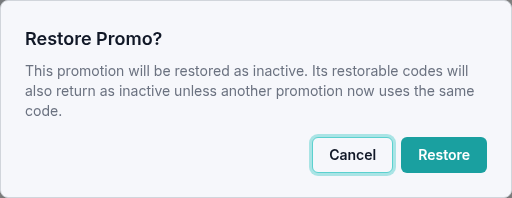
Restoration returns the promotion and its restorable codes as inactive. Activating the promotion alone does not activate an inactive code. Check the active-code count and any restoration message; a code that another promotion now uses may remain archived.
Delete an unused offer
An offer with no redemptions shows Delete instead of Archive. You can also open Edit Promo and select Delete there.
Read Delete Promo? before confirming. Deleting an unused promotion and its codes is permanent and cannot be undone. Choose Deactivate if you only want to pause it or are not sure you will need it again.
If an expected offer is missing, check your organization, event, search, and status filter. For an unexpected restoration result, contact support with the offer name and message shown.