Managing individual promo codes
Open the promotion's Edit Promo panel and its Codes tab. Each code has its own controls. Use these when you want to change one partner or guest code without changing every code attached to the offer. You need permission to manage promotions.
Edit a code and its limits
- Find the code and select its Edit button.
- Review Code and Label (optional). Code letters are converted to uppercase. If you change the code itself, give customers the updated code.
- Set the limits you need: Max Redemptions for this Code, Max Tickets this Code can Discount (or Max Passes this Code can Discount), and Max Discount for this Code ($).
- Select Save Code, then reopen the promotion and check the saved values. Select Cancel instead to discard an unsaved edit.
These are limits for the individual code. Review the promotion's own rules as well. Updating a used code's label or limits does not rewrite the amount charged on an earlier order.
Pause and reactivate one code
Select Deactivate next to the code. Its action changes to Activate. The promotion itself can remain Active, allowing its other active codes to stay available.
Select Activate when the code should be available again. Both the promotion and code must be active, and the offer's other conditions still apply.
Retire a used code
- Select Archive next to the used code.
- Read Archive Code?. Select Cancel to leave it available.
- Select Archive to confirm.
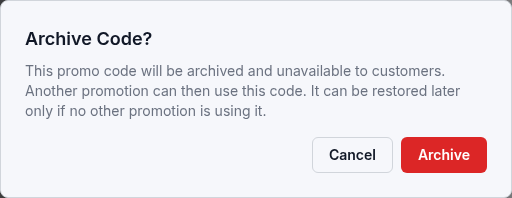
The code becomes unavailable to customers. Its earlier orders and issued tickets remain in place. Another promotion can use the released code, so restoration is possible only while that code is not used by another offer.
To bring it back, select Restore, review Restore Code?, and confirm Restore. It returns as inactive. Check the code and promotion, then select Activate when ready.
Retire an unused code
The row action still starts with Archive, but the confirmation is Delete Code? when the code has no redemptions. Read that confirmation: Delete permanently removes the unused code and cannot be undone. There is no Restore action for a deleted code.
To pause an unused code temporarily, use Deactivate instead.
See Add promo code batches to create more codes, or Pause, archive, or delete a promotion to retire the whole offer. If an action fails, keep the displayed message and code name when contacting support.