Restore a redeemed pass credit
You need permission to manage passes. First locate and open the customer's pass and check which booked admissions the customer wants to release.
Undo a booking and restore its credit
Use Unredeem when a customer no longer needs a booked admission and should be able to use that credit for another event time.
- Open Page actions → Unredeem.
- In Unredeem Pass Tickets, select the booked admissions you intend to undo. No admissions are selected when you open this action from the page menu.
- Keep Restore credits to pass selected.
- Add an Internal note explaining the change.
- Select Release Items, then Confirm Release?.
Cancel leaves the booking and credit use unchanged. After confirmation, Released 1 item. appears for a single admission. Its ticket is no longer valid and the credit is available again.
Restoring a credit does not require enabling Allow paid releases without refunds. Removing a paid credit permanently is a different action; check the selected outcome before confirming.
Verify the restored credit
Check the result on the customer's pass in your dashboard:
- Open Overview and check Credits redeemed. After restoring the only booked admission on a three-credit pass, this shows 0 / 3.
- Open Usage and enable Show canceled. Confirm that the released admission is marked Canceled.
If the credit count or event time does not match the intended outcome, stop before confirming another booking. Include the pass reference, event, and message when you contact support.
What the customer sees
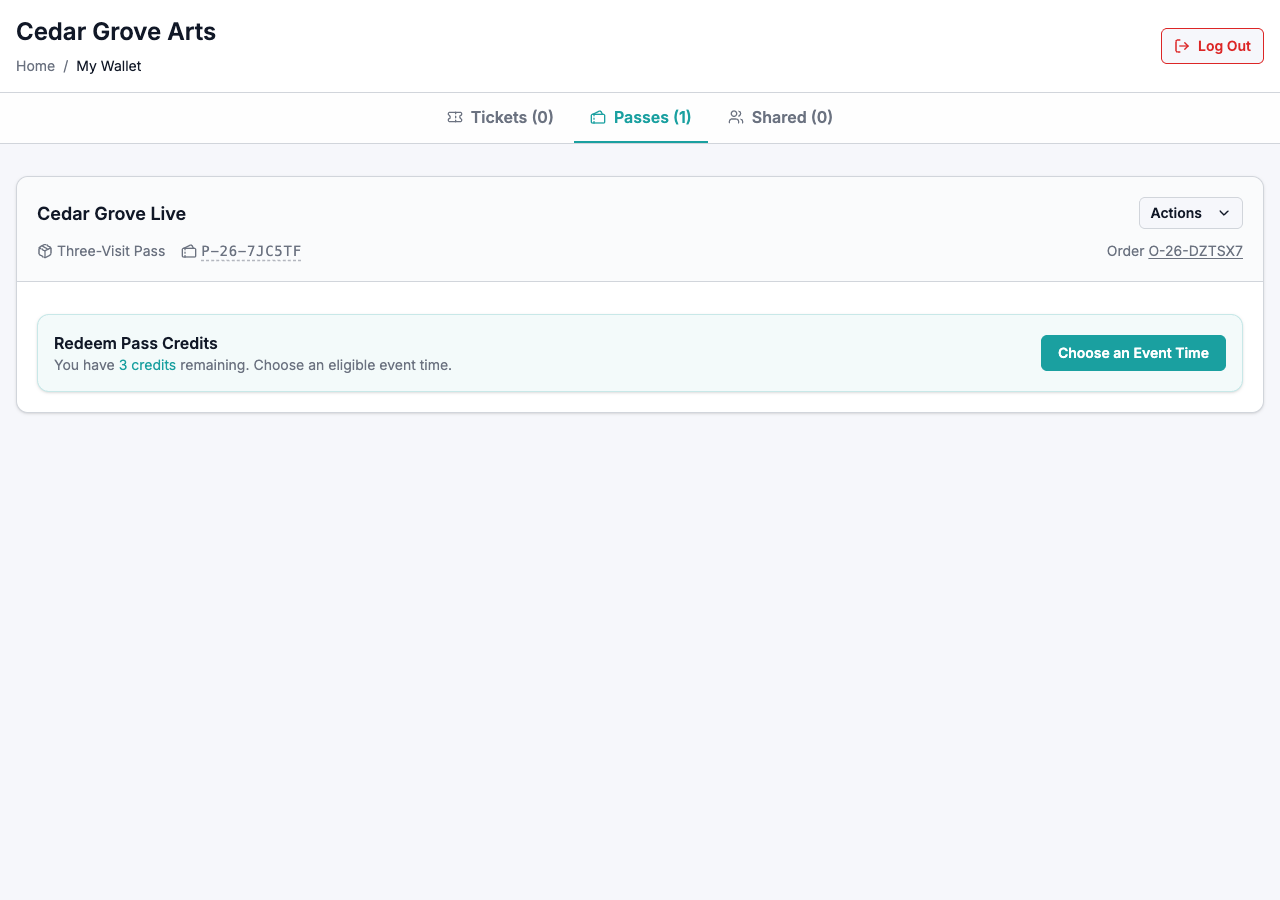
For a Flex pass, the customer's wallet shows Redeem Pass Credits with the number of remaining credits. After restoring the only booked admission on a three-credit pass, the notice reads You have 3 credits remaining. Choose an eligible event time. The released ticket no longer appears in their wallet.
The customer can select Choose an Event Time to make another booking. See Redeem a flex pass.