Correct a cash refund’s completion status
Use this after a cash refund has already been issued and the record of returning cash needs correcting. To issue a new refund, follow Refund a cash-paid order.
Correct a cash return recorded too early
If the refund was marked complete before the customer received the cash:
- Open the order's Timeline.
- Find Cash Refund Marked Complete and select Undo completion. On a narrow screen, scroll the timeline table horizontally to reach its actions.
- In Return cash refund to outstanding?, check the explanation and select Undo completion.
- Open View notices above the order. Cash refund still needs to be returned shows the amount still owed.
This corrects the record of returning cash. The refunded tickets stay refunded, and tickets whose access was released remain unusable.
Record an outstanding cash refund as returned
After the customer has received the cash:
- Open the order and expand View notices.
- In Cash refund still needs to be returned, check the amount and select Mark cash refunded.
- In Mark cash refund as completed?, check the amount again and select Mark completed.
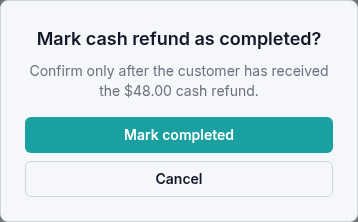
The outstanding-cash notice clears. Reload the order to check the saved status.
Changing cash-return completion does not undo the refund or restore released admission. Check both the cash record and ticket status before closing the request.